Every note has a part that Gobi never writes: your side notes. They’re your own words, in your own voice, beside Gobi’s understanding of the conversation: what you noticed, what you suspect, what the room couldn’t say out loud.

Write them as it happens
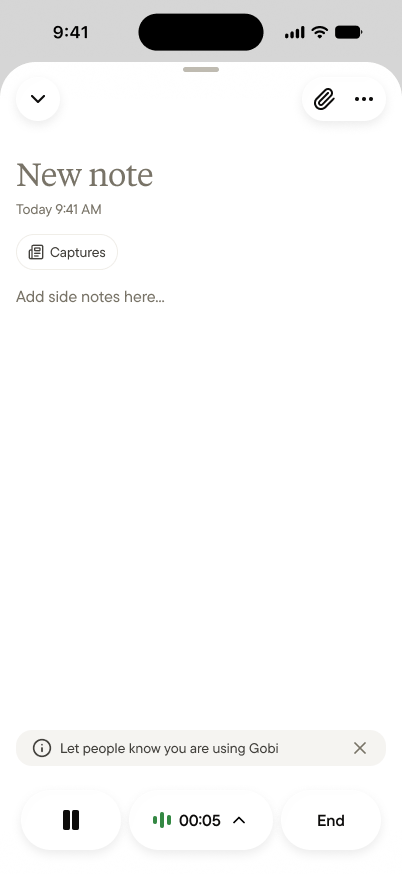
A voice note in progress, with a field for side notes and pause and End buttons
You don’t have to wait for the note. While a voice note is running, type straight into Add side notes here…. The voice note keeps going, and your thought lands exactly where it belongs. The judgment you’d otherwise lose, like “she hesitated, something’s off,” gets written down the moment you have it.

Or add them after

On a finished note, open Summary ▾ and choose Side notes to add to them, edit them, or write your first one long after the conversation ended. Side notes you wrote during the voice note are already there.

What side notes are for

The Summary holds what was said. Side notes hold what only you know:
  • The read. “The HVAC offer is leverage, not a gift.” The conclusion you drew, not the words that led there.
  • The context Gobi couldn’t hear. What happened before the voice note started, the email that prompted the meeting, the history behind a loaded comment.
  • The private judgment. What you’d never say in the room and wouldn’t share with the team.

Only you see them

Side notes are the most private part of a note:
  • In a team space, other members never see your side notes. They see the Summary.
  • In a share link, side notes are never included, whatever else you turn on.
See Who sees what.

Your agent reads them for you

Side notes aren’t an appendix. They’re context. In your Personal space, your personal agent reads them alongside the Summary and transcript, so writing “I don’t trust this timeline” today means “what were my concerns about the Sunset lease?” brings it back a month from now. In a team space, the space agent uses your side notes only when it’s answering you, never when it’s answering someone else.