

The invite link
Most invitations arrive as a link — in a text, an email, a Slack message. Invite links look likegobispace.com/htkzmak, or a
named one like gobispace.com/acme. Tap it, confirm, and you’re
in — no application, no waiting for approval.
If you don’t have Gobi installed yet, the link takes you through
the App Store first, and your invitation is waiting when you open
the app.
Invites waiting in the app
Some invitations skip the link entirely — a space member invites you directly, and the invite arrives in Gobi itself. Find yours in Account settings → Invites:
Or enter a link yourself
If your invite link is sitting on another device or buried in a thread, you can join by hand — choose Join with a link from the Invites screen, or Join an existing space from the Spaces tab: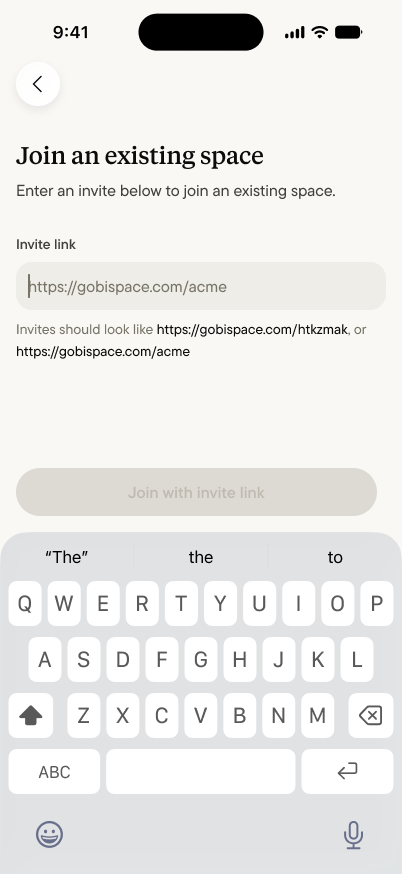
What joining does — and doesn’t
Joining a space adds a place you can share into. It doesn’t open a window into your Home:- Nobody sees your captures. Your Home stays yours. Joining a space exposes nothing you’ve captured — sharing is a decision you make one capture at a time.
- You see what’s shared with you. Inside a space, life happens in channels — what you see depends on the channels you’re part of.
- Leaving is clean. What you shared into the space was shared by choice; what you never shared was never there.