> ## Documentation Index
> Fetch the complete documentation index at: https://docs.gobihq.com/llms.txt
> Use this file to discover all available pages before exploring further.
# Gobi mobile app
> A tour of the app: Home, capture, AI Chat, Inbox, and Spaces.
The app is built around one loop: capture your day, let it become
memory, and put that memory to work — for you, your agents, and
your team. Five places, one habit.
## Home
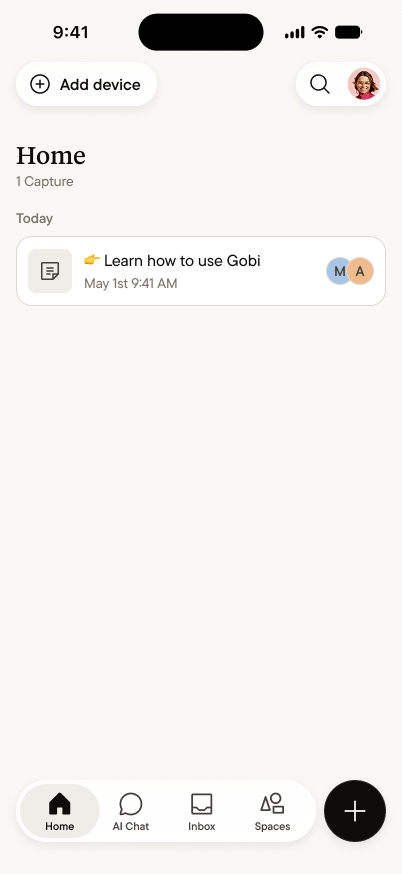 Home is your personal core: every capture you've made, newest
first, grouped by day. Only you see it. Tap any capture to open its
[Summary](/summary/overview); search reaches across everything
you've ever captured.
## Capture
Home is your personal core: every capture you've made, newest
first, grouped by day. Only you see it. Tap any capture to open its
[Summary](/summary/overview); search reaches across everything
you've ever captured.
## Capture
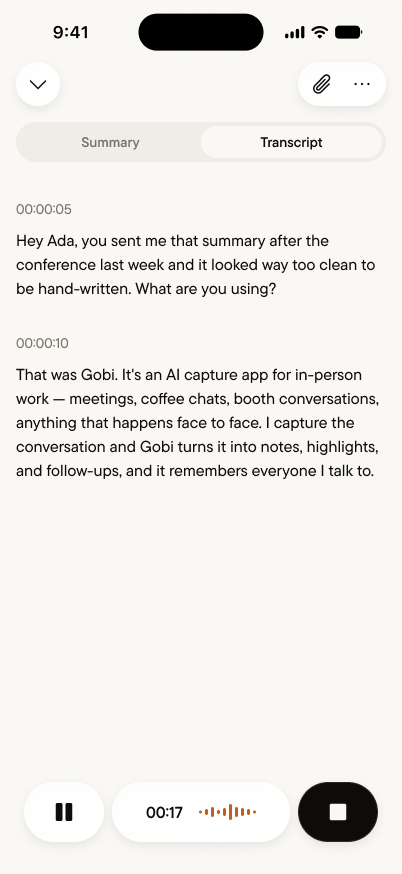 The **+** button starts a capture from anywhere in the app. The
transcript appears live as the conversation happens — pause when
you need to, stop when you're done, and the capture becomes a
Summary moments later. Switch between **Summary** and
**Transcript** any time, during or after.
## AI Chat
The **+** button starts a capture from anywhere in the app. The
transcript appears live as the conversation happens — pause when
you need to, stop when you're done, and the capture becomes a
Summary moments later. Switch between **Summary** and
**Transcript** any time, during or after.
## AI Chat
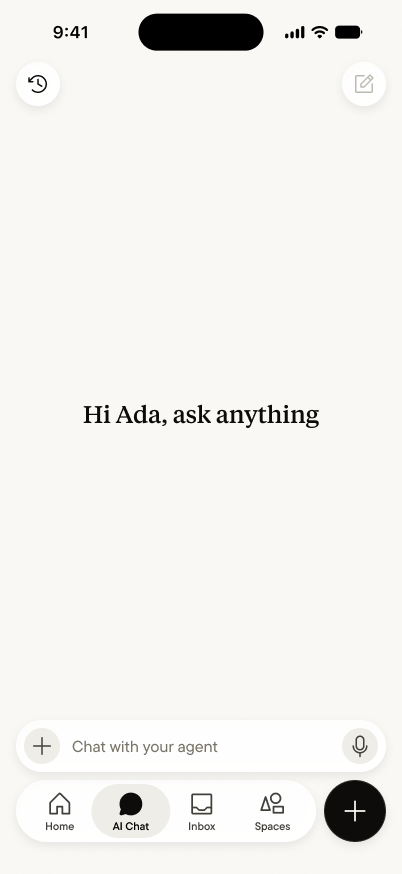 AI Chat is your [personal agent](/personal-core/personal-agent) —
ask anything across everything you've captured. "What did Dana say
about pricing?" "What did I promise this week?" It answers from
your core, and every capture makes it sharper. Type or talk; it
takes both.
## Inbox
Mentions, replies, and reactions from your Spaces, in one place —
filter by **All**, **Mentions**, or **Unreads**. When a teammate
mentions you or the space agent posts something for you, it lands
here.
## Spaces
AI Chat is your [personal agent](/personal-core/personal-agent) —
ask anything across everything you've captured. "What did Dana say
about pricing?" "What did I promise this week?" It answers from
your core, and every capture makes it sharper. Type or talk; it
takes both.
## Inbox
Mentions, replies, and reactions from your Spaces, in one place —
filter by **All**, **Mentions**, or **Unreads**. When a teammate
mentions you or the space agent posts something for you, it lands
here.
## Spaces
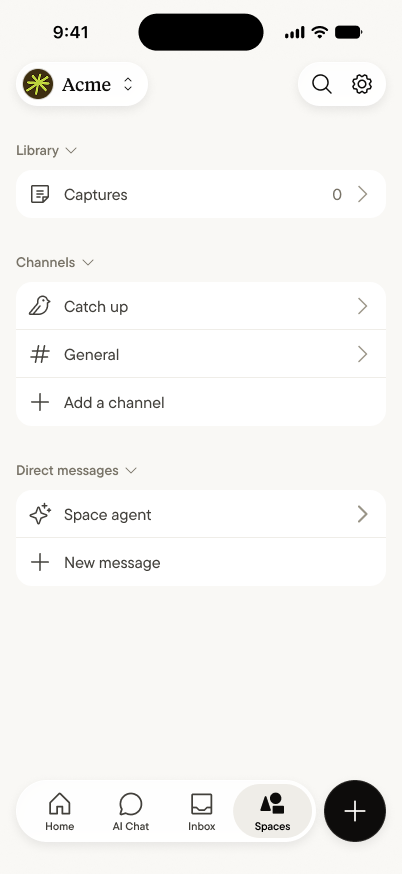 [Spaces](/spaces/create-a-space) are where your team shares memory.
Each space holds the captures members have shared, channels for
conversation, and direct messages — including the
[space agent](/spaces/space-agent), which answers from everything
shared into the space. What one person heard becomes what the team
knows.
## The loop, in practice
Capture a conversation → read the Summary → share it to a Space if
the team should know → ask your agent when you need it back. That's
the whole app. Start with the
[Quick start](/getting-started/quick-start), and when the loop
feels natural, [connect your agent](/getting-started/connect-your-agent)
to take your core beyond the app.
[Spaces](/spaces/create-a-space) are where your team shares memory.
Each space holds the captures members have shared, channels for
conversation, and direct messages — including the
[space agent](/spaces/space-agent), which answers from everything
shared into the space. What one person heard becomes what the team
knows.
## The loop, in practice
Capture a conversation → read the Summary → share it to a Space if
the team should know → ask your agent when you need it back. That's
the whole app. Start with the
[Quick start](/getting-started/quick-start), and when the loop
feels natural, [connect your agent](/getting-started/connect-your-agent)
to take your core beyond the app.